Your memories stay with you. Fill in the details, watch the card update live, and pay only for the designs you download.
We do not store your photo or details
Your photo and everything you type are saved only on your own device, using localStorage. We never store your data on our servers, and we never use it without your permission.
Your photo stays on your device
Your details are saved in your browser
Nothing is stored without your permission
Easy form with live preview
Choose a card and click Edit. A smart form with live preview opens, and the slogan and details are already filled in to save your time.
Fill once, see many designs
Enter your details one time, then see many ready designs made with your own name, dates and photo. Compare them and pick the ones you like.
Ready for WhatsApp and print
Every template is prepared in advance by professional designers and software, so you get high-quality cards to share on WhatsApp or print in minutes.
Paid, and safe to pay
This is a paid service. After you click Save, you go to the download page and pay to download. The more designs you select, the more you pay.
From first detail to finished card in just a few minutes.
A shok sandesh card is a short notice that tells relatives, friends and the wider community about a death. It gives the name of the person who has passed away, the date and place of passing, and the details of the prayer meeting, shraddhanjali sabha or last rites. This page is the starting point for making a shok sandesh card online. It explains what the card is for, how to choose a language and a design, what information to include, how to write a respectful message, and how to print or share the finished card.
The designs on this site are available in Hindi, Marathi, Gujarati, Bengali, Tamil and Punjabi, and each language has its own page with matching fonts and wording. You can pick a design, fill in the details in the editor, and download an A4 file that is ready to print or send as an image on WhatsApp.
01
What is a shok sandesh card?
The word shok means grief and sandesh means message, so a shok sandesh is simply a message of sorrow sent to everyone who knew the departed. Its purpose is practical as well as emotional. It tells people what has happened, and it gives them the information they need to attend the prayers or the rites that follow. Because the card is read quickly, its layout and wording matter. A clear and calm notice is easier for elderly relatives, neighbours and colleagues to understand at a glance.
In earlier times these notices were printed in a small press and delivered by hand. Today many families prepare the card on a phone or computer, print a few copies for the home and the community board, and send the image to relatives in other cities. The same design can serve both purposes, provided the text is large enough and the layout leaves room for the details.
02
Choosing the right language for your notice
Language is the first decision. Families usually write the main notice in the language that the eldest relatives read most comfortably, because that is the version they will read carefully. Hindi, Marathi, Gujarati, Bengali, Tamil and Punjabi are all available here, and each one uses a font that supports its script, so the letters look correct on screen and on paper. If the family spans several regions, a common approach is to keep the main text in one language and add a short English line below it for relatives who read English more easily.
Each language page on this site has its own title, description and wording, so it is easier to find the right design when you search for it. You can start from this page and then open the language page that matches your family's needs. The designs inside each language are the same kind of notice, so the choice is about reading comfort rather than appearance.
03
Picking a design style
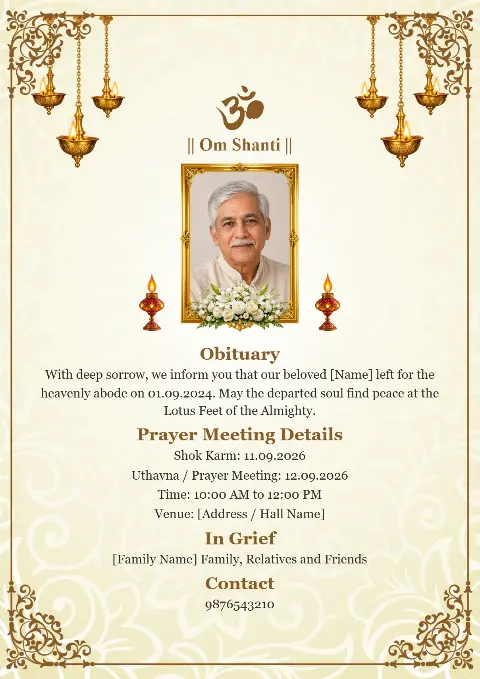
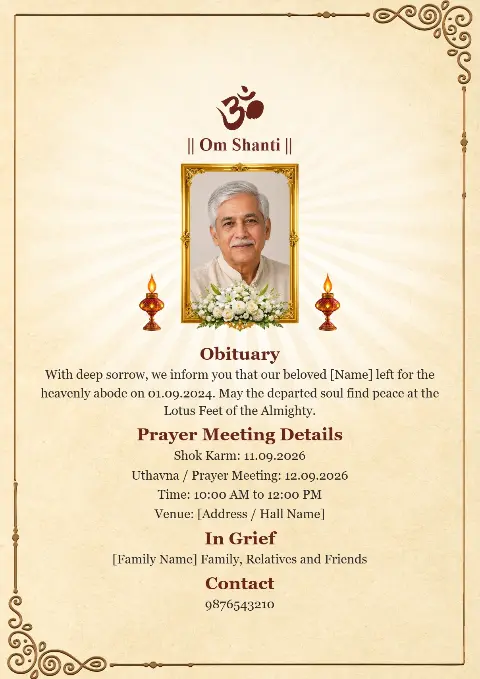
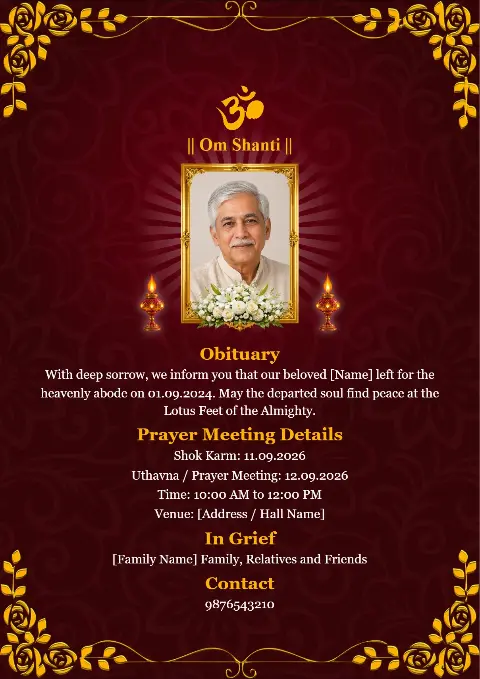
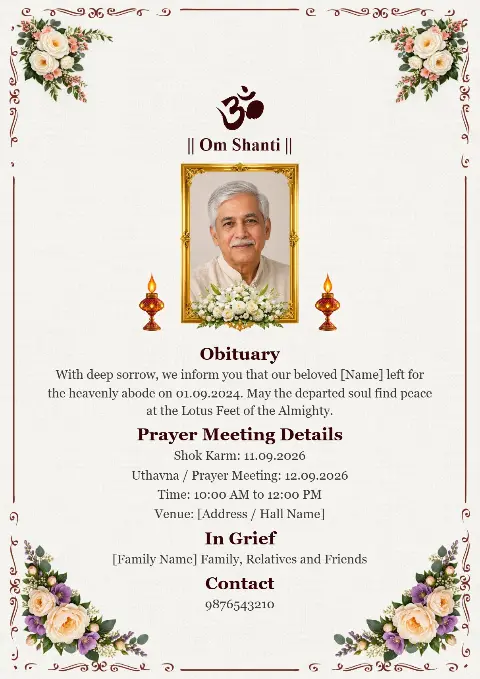
The design sets the tone before anyone reads the text. Maroon and gold cards with floral corners feel formal and dignified without looking heavy. Ivory and cream cards with a diya or a filigree border have a lighter look that many families prefer. Grey and white designs are quiet and simple, and they suit notices that are pinned on a community board. Yellow and gold swirl designs are more colourful, and some families choose them for a celebration of a long and full life.
When you compare designs, look for a border that still reads clearly when printed in black and white on a home printer. Check that there is room for the name, dates and message, and room for a photograph if you want one. A design that prints well is often more useful than one that looks striking only on a screen, because most families share both a printed copy and a digital image.
04
What to include on a shok sandesh card
A well organised card usually begins with a simple symbol or invocation at the top, such as an Om sign, a diya, a Khanda or a floral motif, depending on the family's tradition. The name of the departed comes next, followed by the age if the family wishes to include it, and then the date and place of passing. The card then lists the arrangements: the date, time and venue of the prayer meeting, shraddhanjali sabha or last rites, and any later ceremony. Finally, add the names of family members or a contact person who can answer questions about the gathering.
Some families add a short thought from scripture or a line of thanks to the community. If you include a quotation, check the wording with a senior family member before printing, because a small change in spelling can change the meaning. A photograph is optional. If you use one, choose a clear and recent portrait and place it in the framed area, where it will be visible on both screen and paper.
05
Writing the message with respect
The message on a shok sandesh should be short and sincere. Begin with the name of the departed, state the fact of the passing in simple words, and then ask relatives and friends to pray for the peace of the soul. Many families also invite everyone to attend the prayer meeting or the last rites. Avoid long stories or anything that reads like a eulogy, unless the family has chosen to hold a separate memorial. Short and clear text is easier for elderly relatives and guests from other towns to follow.
Check every spelling carefully, especially the names of villages, crematoriums, temples, halls and relatives. Confirm the date and time with the family before you finalise the card, because one wrong digit can confuse everyone who plans to attend. The editor lets you change each field separately, so if a gathering moves to a new time or venue, you can update the card and download a fresh copy within minutes.
06
Printing, sharing and keeping copies
When the details are complete, download the card as an A4 file and print it at home or at a local print shop. A4 is the usual size for notices that are pinned on boards or handed out at a temple, gurdwara, church or community hall. If you plan to print in colour, check the preview first, since gold and lilac tones can look different on different printers. For quick sharing, the image version works well on WhatsApp and other messaging apps, and it can reach relatives across several cities in minutes.
Keep a few printed copies for the family record and a digital copy in a safe folder. If the card is shared in a public group, leave out private information such as home addresses, bank details or personal phone numbers. Share the arrangements with the people who need them, and let the family decide what goes into a wider circulation.
07
Sharing the card with the whole family
In most families one person takes responsibility for the card. That person gathers the details, checks them with close relatives and makes sure the final version is accurate. It helps to decide early who will receive the card: relatives who live far away, neighbours who may not use the same messaging apps, and the temple, gurdwara or community committee if the gathering is held there. Ask each group how they prefer to receive it. Some people will want a printed copy handed over, while others will rely entirely on a message.
Naming one trusted contact for corrections also avoids confusion. Several versions of the same card can circulate if many people edit it on their own, and that can leave some guests with the wrong time or venue. One person holding the final version keeps everyone aligned.
Shok sandesh card FAQs
Everything you need to know before you create a shok sandesh card online.
What is a shok sandesh card?+
A shok sandesh is a notice that informs relatives, friends and the community about a death and the prayer or shraddhanjali meeting. The designs on this page are made for that purpose.
In which languages can I make a shok sandesh card?+
Designs are available in Hindi, Marathi, Gujarati, Bengali, Tamil and Punjabi, with English versions as well. Each language uses a font that supports its script.
Can I edit the names, dates and message?+
Yes. You can change the name, dates, message and photo on every design, and the card updates as you type.
What size is the card and how do I print it?+
Cards are A4 (210 x 297 mm). Download the file and print it at home or at a local print shop, or save an image to share on your phone.
Shok sandesh cards in other languages
Open the same kind of notice card in another language or style.